
使用Dockerfile搭建jenkins环境的时候安装插件的方法
鬼谷子叔叔
- 2021-07-21 12:50
介绍
介绍
福哥在通过docker安装jenkins的是时候发现插件无法安装,无论选什么都报找不到错误。
An error occurred during installation: No such plugin: cloudbees-folder
这是怎么回事啊?
原因
原来docker的原则是尽可能的小,所以他们就把所有的插件全部都去掉了。。。

解决
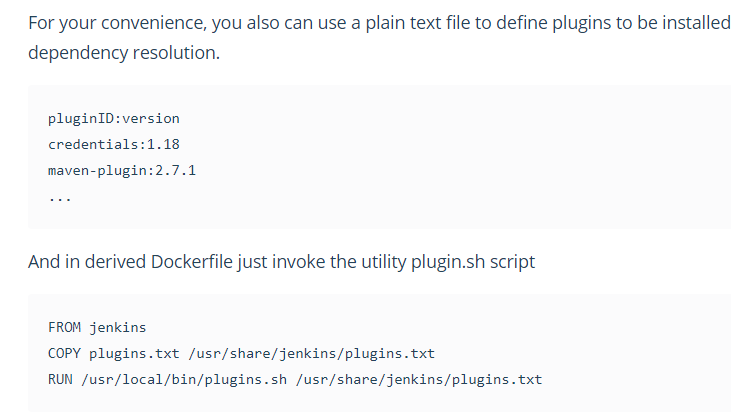
然后福哥在docker的官方介绍里面发现了解决方案,可以在制作Dockerfile的时候完成插件的安装。
插件版本
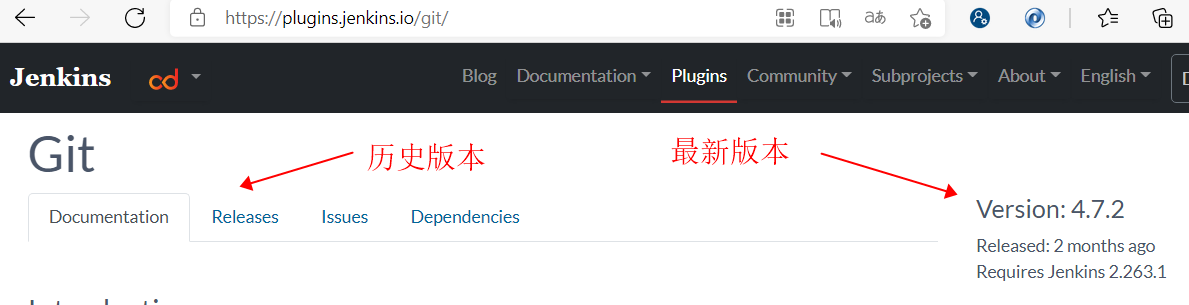
插件版本可以通过下面的地址查看,福哥这里给的是git的版本,我们可以把地址最后面的git换成其他插件名称。
https://plugins.jenkins.io/git/
plugins.txt
建立一个plugins.txt文件,里面放上需要安装的jenkins插件的信息,格式为:
[软件]:[版本]
文件换行符必须是LF,不能是CRLF,否则会报错。
福哥给出一部分插件的版本信息供童鞋们参考~~
cloudbees-folder:6.15
antisamy-markup-formatter:2.1
build-timeout:1.20
credentials-binding:1.27
timestamper:1.13
ws-cleanup:0.39
ant:1.11
gradle:1.37.1
workflow-aggregator:2.6
github-branch-source:2.11.1
pipeline-github-lib:1.0
pipeline-stage-view:2.19
git:4.7.2
subversion:2.14.4
ssh-slaves:1.32.0
matrix-auth:2.6.7
pam-auth:1.6
ldap:2.7
email-ext:2.83
mailer:1.34
安装
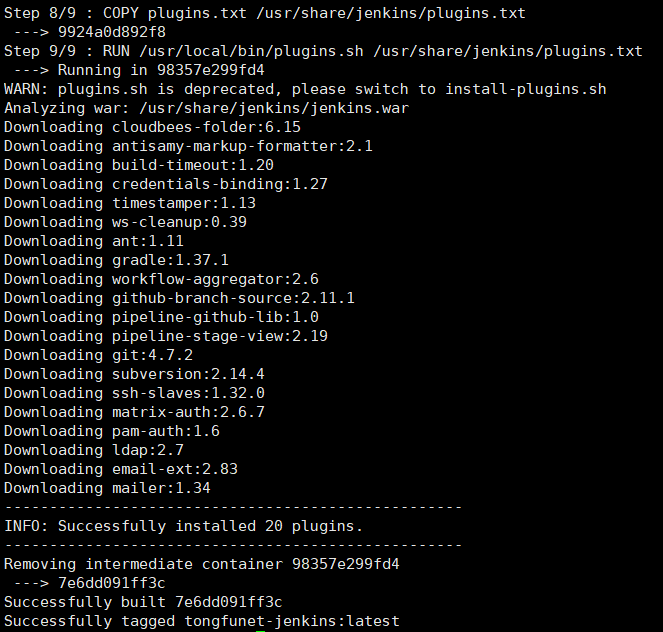
通过jenkins镜像里面提供的一个shell脚本调用plugins.txt来安装插件。
/usr/local/bin/plugins.sh /usr/share/jenkins/plugins.txt
Dockerfile
下面福哥给出Dockerfile,大家可以直接拿去使用~~
FROM jenkins:2.60.3

MAINTAINER Andy Bogate
MAINTAINER tongfu@tongfu.net
MAINTAINER https://tongfu.net/dockerfile
MAINTAINER 2021/7/21
MAINTAINER v1.0.0

EXPOSE 8080

# plugins
COPY plugins.txt /usr/share/jenkins/plugins.txt
RUN /usr/local/bin/plugins.sh /usr/share/jenkins/plugins.txt
总结
有的时候要多看看官方的介绍,可以避免我们绕弯路!!!

相关文章推荐
- PHP捕获eval当中的语法错误和系统错误的方法【20220209】 阅读:131
- HTML语言入门(2)——标签样式【20201116】 阅读:57
- 查看crontab执行错误日志的方法 阅读:109
- 做个java框架(7)——Spring框架的注解的学习笔记【20210107】 阅读:55
- Python编程中的字符串编码转换问题【20201012】 阅读:126
- Python实现PHP语言的序列化和反序列化功能【20210625】 阅读:91
- Jenkins参数化构建插件Extended Choice Parameter的配置使用方法【20220225】 阅读:791
- View的三种属性VISIBLE、INVISIBLE、GONE的区别 阅读:109
- Python使用pymysql查询数据显示字段名称的方法【20210424】 阅读:87
- Tomcat学习笔记【20201104】 阅读:119