
Rancher(k8s)通过ossfs插件添加阿里云OSS服务为存储类的方法
鬼谷子叔叔
- 2023-05-13 03:41
介绍
介绍
安装ossfs
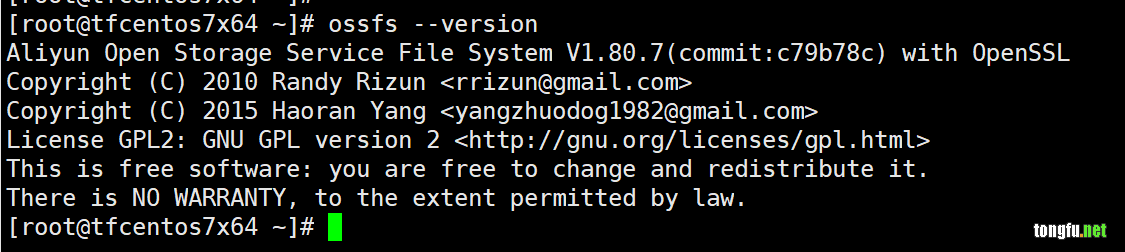
首先,我们得在TFCentOS7x64服务器上面安装OSS的驱动程序ossfs,这个可以从阿里云的官方下载。
https://help.aliyun.com/document_detail/153892.html?spm=a2c4g.11174283.6.751.e1a07da2AqKe48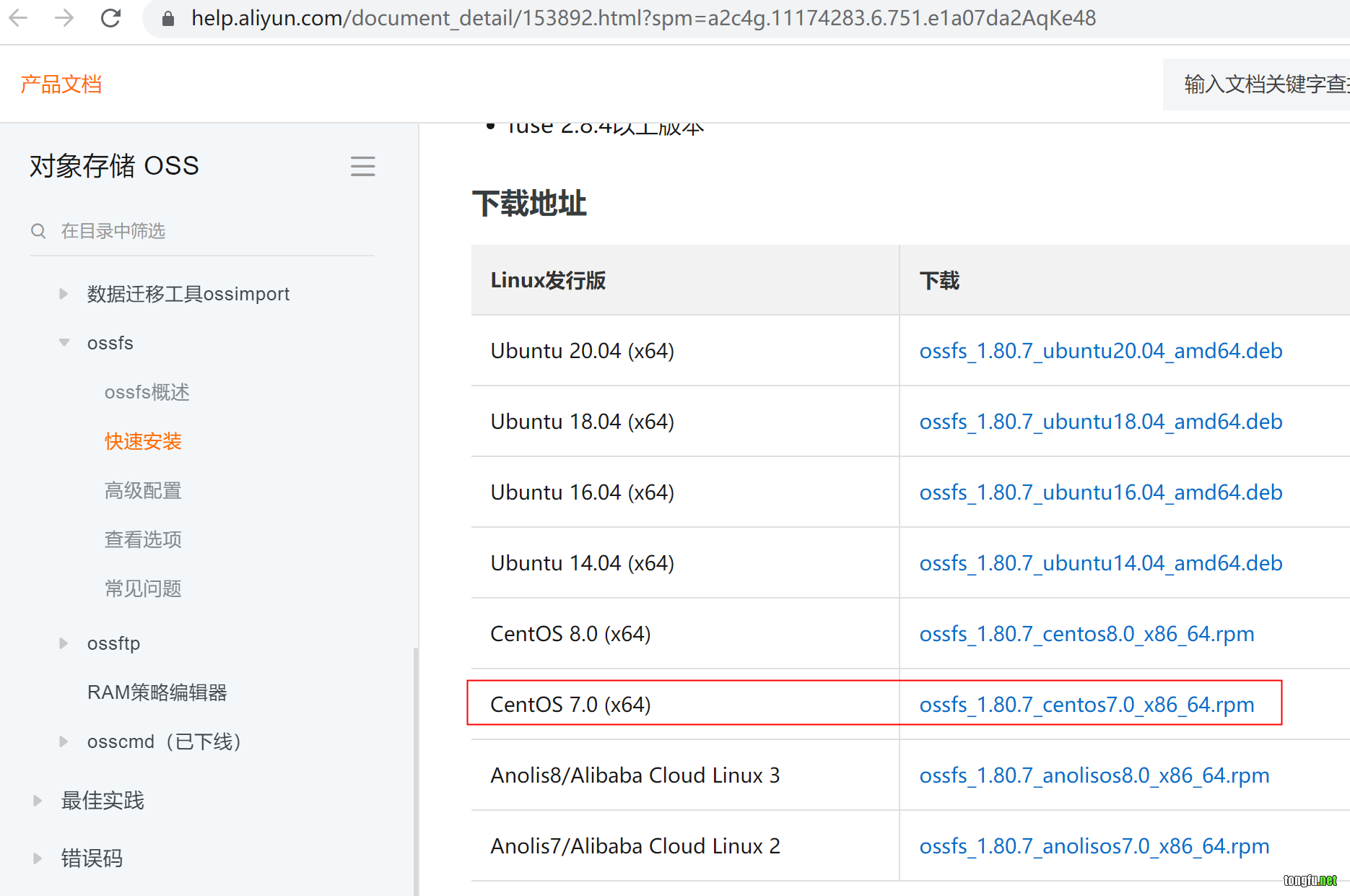
执行下面的命令安装ossfs。
curl -L 'https://gosspublic.alicdn.com/ossfs/ossfs_1.80.7_centos7.0_x86_64.rpm?spm=a2c4g.153892.0.0.74827053Sil3Vf&file=ossfs_1.80.7_centos7.0_x86_64.rpm' -o /tmp/ossfs_1.80.7_centos7.0_x86_64.rpm
rpm -ivh /tmp/ossfs_1.80.7_centos7.0_x86_64.rpm
rm -f rpm /tmp/ossfs_1.80.7_centos7.0_x86_64.rpm
rbac
文件
# This YAML file contains all RBAC objects that are necessary to run external
# CSI provisioner.
#
# In production, each CSI driver deployment has to be customized:
# - to avoid conflicts, use non-default namespace and different names
#   for non-namespaced entities like the ClusterRole
# - decide whether the deployment replicates the external CSI
#   provisioner, in which case leadership election must be enabled;
#   this influences the RBAC setup, see below

apiVersion: v1
kind: ServiceAccount
metadata:
  name: admin
  # replace with the same namespace name with plugin
  namespace: kube-system

---
kind: ClusterRole
apiVersion: rbac.authorization.k8s.io/v1
metadata:
  name: alicloud-csi-plugin
rules:
  - apiGroups: [""]
    resources: ["secrets"]
    verbs: ["get", "list"]
  - apiGroups: [""]
    resources: ["persistentvolumes"]
    verbs: ["get", "list", "watch", "update", "create", "delete"]
  - apiGroups: [""]
    resources: ["persistentvolumeclaims"]
    verbs: ["get", "list", "watch", "update"]
  - apiGroups: ["storage.k8s.io"]
    resources: ["storageclasses"]
    verbs: ["get", "list", "watch"]
  - apiGroups: ["storage.k8s.io"]
    resources: ["csinodes"]
    verbs: ["get", "list", "watch"]
  - apiGroups: [""]
    resources: ["events"]
    verbs: ["get", "list", "watch", "create", "update", "patch"]
  - apiGroups: [""]
    resources: ["endpoints"]
    verbs: ["get", "watch", "list", "delete", "update", "create"]
  - apiGroups: [""]
    resources: ["configmaps"]
    verbs: ["get", "watch", "list", "delete", "update", "create"]
  - apiGroups: [""]
    resources: ["nodes"]
    verbs: ["get", "list", "watch"]
  - apiGroups: ["csi.storage.k8s.io"]
    resources: ["csinodeinfos"]
    verbs: ["get", "list", "watch"]
  - apiGroups: ["storage.k8s.io"]
    resources: ["volumeattachments"]
    verbs: ["get", "list", "watch", "update"]
  - apiGroups: ["snapshot.storage.k8s.io"]
    resources: ["volumesnapshotclasses"]
    verbs: ["get", "list", "watch"]
  - apiGroups: ["snapshot.storage.k8s.io"]
    resources: ["volumesnapshotcontents"]
    verbs: ["create", "get", "list", "watch", "update", "delete"]
  - apiGroups: ["snapshot.storage.k8s.io"]
    resources: ["volumesnapshots"]
    verbs: ["get", "list", "watch", "update"]
  - apiGroups: ["apiextensions.k8s.io"]
    resources: ["customresourcedefinitions"]
    verbs: ["create", "list", "watch", "delete"]

---
kind: ClusterRoleBinding
apiVersion: rbac.authorization.k8s.io/v1
metadata:
  name: alicloud-csi-plugin
subjects:
  - kind: ServiceAccount
    name: admin
    namespace: kube-system
roleRef:
  kind: ClusterRole
  name: alicloud-csi-plugin
  apiGroup: rbac.authorization.k8s.io
导入
kubectl create -f /tmp/rbac.yml
oss-plugin
文件
apiVersion: storage.k8s.io/v1beta1
kind: CSIDriver
metadata:
  name: ossplugin.csi.alibabacloud.com
spec:
  attachRequired: false
---
# This YAML defines all API objects to create RBAC roles for csi node plugin.
kind: DaemonSet
apiVersion: apps/v1
metadata:
  name: csi-ossplugin
  namespace: kube-system
spec:
  selector:
    matchLabels:
      app: csi-ossplugin
  template:
    metadata:
      labels:
        app: csi-ossplugin
    spec:
      tolerations:
      - operator: Exists
      priorityClassName: system-node-critical
      serviceAccount: admin
      hostNetwork: true
      hostPID: true
      containers:
      - name: driver-registrar
        image: registry.cn-hangzhou.aliyuncs.com/acs/csi-node-driver-registrar:v1.1.0
        imagePullPolicy: Always
        lifecycle:
          preStop:
            exec:
              command: ["/bin/sh", "-c", "rm -rf /registration/ossplugin.csi.alibabacloud.com /registration/ossplugin.csi.alibabacloud.com-reg.sock"]
        args:
        - "--v=5"
        - "--csi-address=/var/lib/kubelet/plugins/ossplugin.csi.alibabacloud.com/csi.sock"
        - "--kubelet-registration-path=/var/lib/kubelet/plugins/ossplugin.csi.alibabacloud.com/csi.sock"
        env:
        - name: KUBE_NODE_NAME
          valueFrom:
            fieldRef:
              apiVersion: v1
              fieldPath: spec.nodeName
        volumeMounts:
        - name: kubelet-dir
          mountPath: /var/lib/kubelet/
        - name: registration-dir
          mountPath: /registration

      - name: csi-ossplugin
        securityContext:
          privileged: true
          capabilities:
            add: ["SYS_ADMIN"]
          allowPrivilegeEscalation: true
        image: registry.cn-hangzhou.aliyuncs.com/acs/csi-plugin:v1.14.8.32-c77e277b-aliyun
        imagePullPolicy: "Always"
        args:
        - "--endpoint=$(CSI_ENDPOINT)"
        - "--v=5"
        - "--driver=ossplugin.csi.alibabacloud.com"
        - "--nodeid=$(KUBE_NODE_NAME)"
        env:
        - name: CSI_ENDPOINT
          value: unix://var/lib/kubelet/plugins/ossplugin.csi.alibabacloud.com/csi.sock
        - name: KUBE_NODE_NAME
          valueFrom:
            fieldRef:
              fieldPath: spec.nodeName
        volumeMounts:
        - name: kubelet-dir
          mountPath: /var/lib/kubelet/
          mountPropagation: "Bidirectional"
        - name: etc
          mountPath: /host/etc
        - mountPath: /var/log/
          name: host-log
        - mountPath: /host/usr/
          name: flexvolumedir
      volumes:
      - name: kubelet-dir
        hostPath:
          path: /var/lib/kubelet/
          type: Directory
      - name: registration-dir
        hostPath:
          path: /var/lib/kubelet/plugins_registry
          type: DirectoryOrCreate
      - name: etc
        hostPath:
          path: /etc
      - name: flexvolumedir
        hostPath:
          path: /usr/
      - name: host-log
        hostPath:
          path: /var/log/
  updateStrategy:
    type: RollingUpdate
导入
kubectl create -f /tmp/oss-plugin.yml
pv
apiVersion: v1
kind: PersistentVolume
metadata:
  namespace: kgf-dev
  name: oss-pv
  labels:
    alicloud-pvname: oss-pv
spec:
  capacity:
    storage: 5Gi
  accessModes:
    - ReadWriteOnce
  persistentVolumeReclaimPolicy: Retain
  csi:
    driver: ossplugin.csi.alibabacloud.com
    # set volumeHandle same value pv name
    volumeHandle: oss-pv
    volumeAttributes:
      bucket: "kgf"
      url: "oss-cn-shanghai.aliyuncs.com"
      otherOpts: "-o max_stat_cache_size=0 -o allow_other"
      akId: "xxxxxxx"
      akSecret: "xxxxxxxxx"
      path: "/"
pvc
piVersion: v1
kind: PersistentVolumeClaim
metadata:
  namespace: kgf-dev
  name: oss-pvc
spec:
  accessModes:
  - ReadWriteOnce
  resources:
    requests:
      storage: 5Gi
  selector:
    matchLabels:
      alicloud-pvname: oss-pv

相关文章推荐
- PHP使用Phar打包控制台程序【20210817】 阅读:92
- 使用Dockerfile基于3.8-buster镜像搭建Python+selenium微服务环境【20210516】 阅读:410
- Java实现URL编码、Base64编码、MD5编码的方法【20210430】 阅读:1204
- SpringBoot项目里的日志框架的使用 阅读:35
- 免费好用的可视化管理工具Robo 3T 阅读:82
- Shell学习笔记 阅读:86
- 自定义对话框的实现 阅读:43
- 实现登录页面的密码可见/不可见切换 阅读:33
- JPA Hibernate遇到数据表字段默认将驼峰命名强制转换为下划线命名的问题【20211031】 阅读:408
- Java的FreeMarker启动后总是404找不到模板的问题【20211108】 阅读:86